Designing the contract that drives every payment
How I designed the Clinical Trial Agreement for a new payments product: a complex, decade-long contract that sets who gets paid, how much, and when.
- Company
- Medidata (life sciences SaaS)
- Role
- Product Designer, sole designer on Platform Payments
- When
- June 2019 to June 2021
- Platform
- Enterprise web
- Team
- Product team and four scrum teams
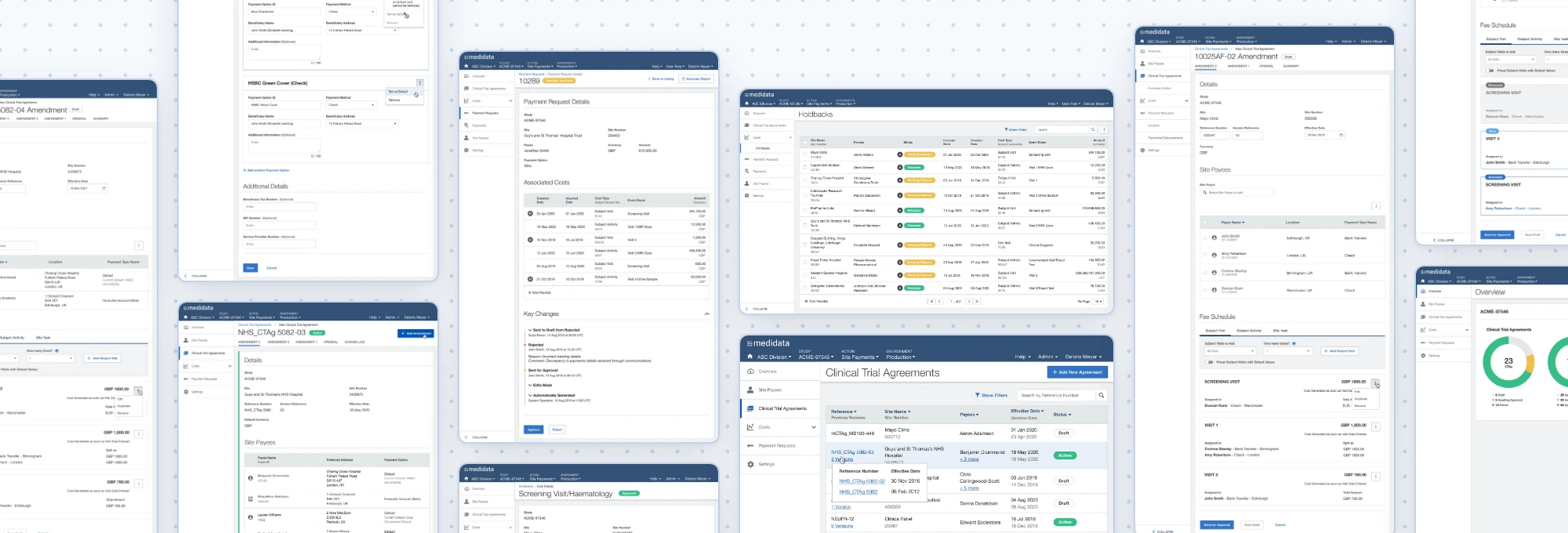
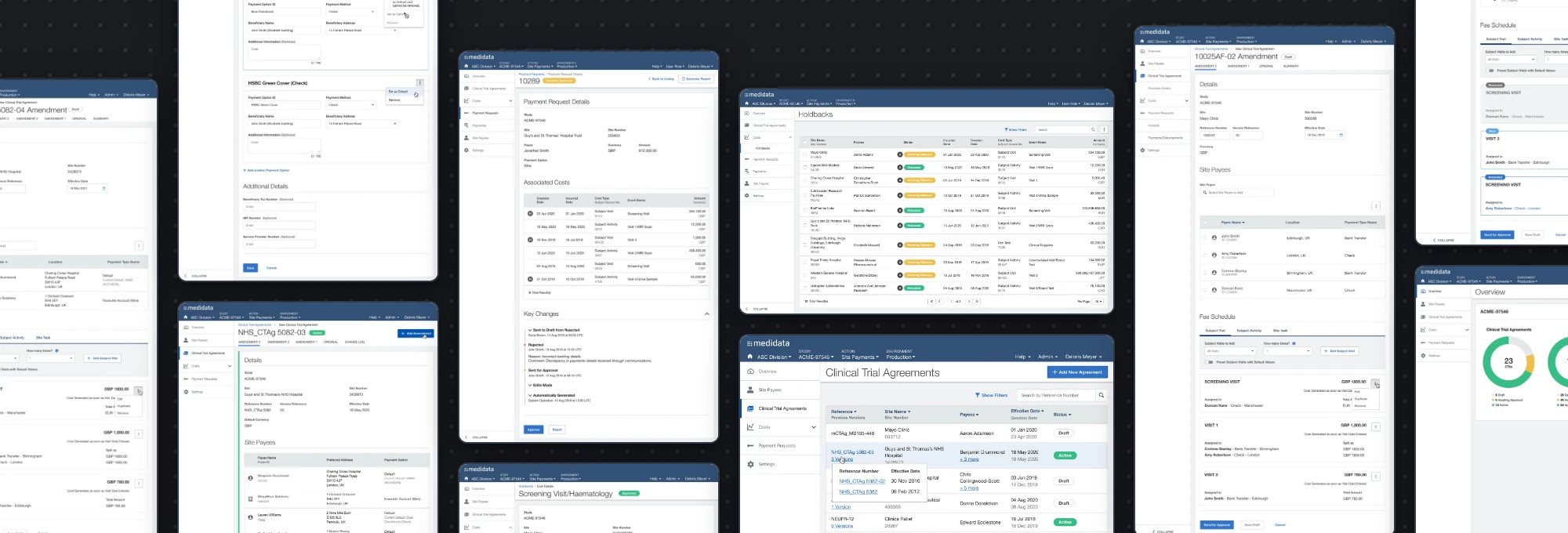
Doctors and hospitals running clinical trials can wait up to six months to be paid, which puts real strain on sites. Platform Payments was a greenfield product to fix that. Money moves through five steps:
- Payees: the doctors and sites being paid, and how they want to be paid.
- Clinical Trial Agreement (CTA): the contract setting who is paid, for what and how much. It needs approval.
- Costs: generated automatically from the CTA as trial events happen, or added manually. A share can be held back until the study is completed to standard.
- Payment requests: approved costs grouped by study, site, payee and payment method, then approved again.
- Disbursement: approved requests are sent to a third-party payment service.
Everything downstream depends on step 2. If the CTA is wrong, every payment is wrong.
- PayeesWho is paid, and how
- Clinical Trial AgreementThe contract: who, what, how much
- CostsCreated as trial events happen, some held back
- Payment requestsApproved costs grouped for payment
- DisbursementSent to a third-party payment service
A CTA is a dense contract built in four parts: the details, the payees, a holdback percentage, and budget line items that set who is paid how much for each visit or activity. It goes through an approval workflow where different roles can do different things.
It also changes. A study can run for ten years and collect as many as 12 amendments, each with its own status, dates and payees. The UI had to make all of that creatable, reviewable and auditable.
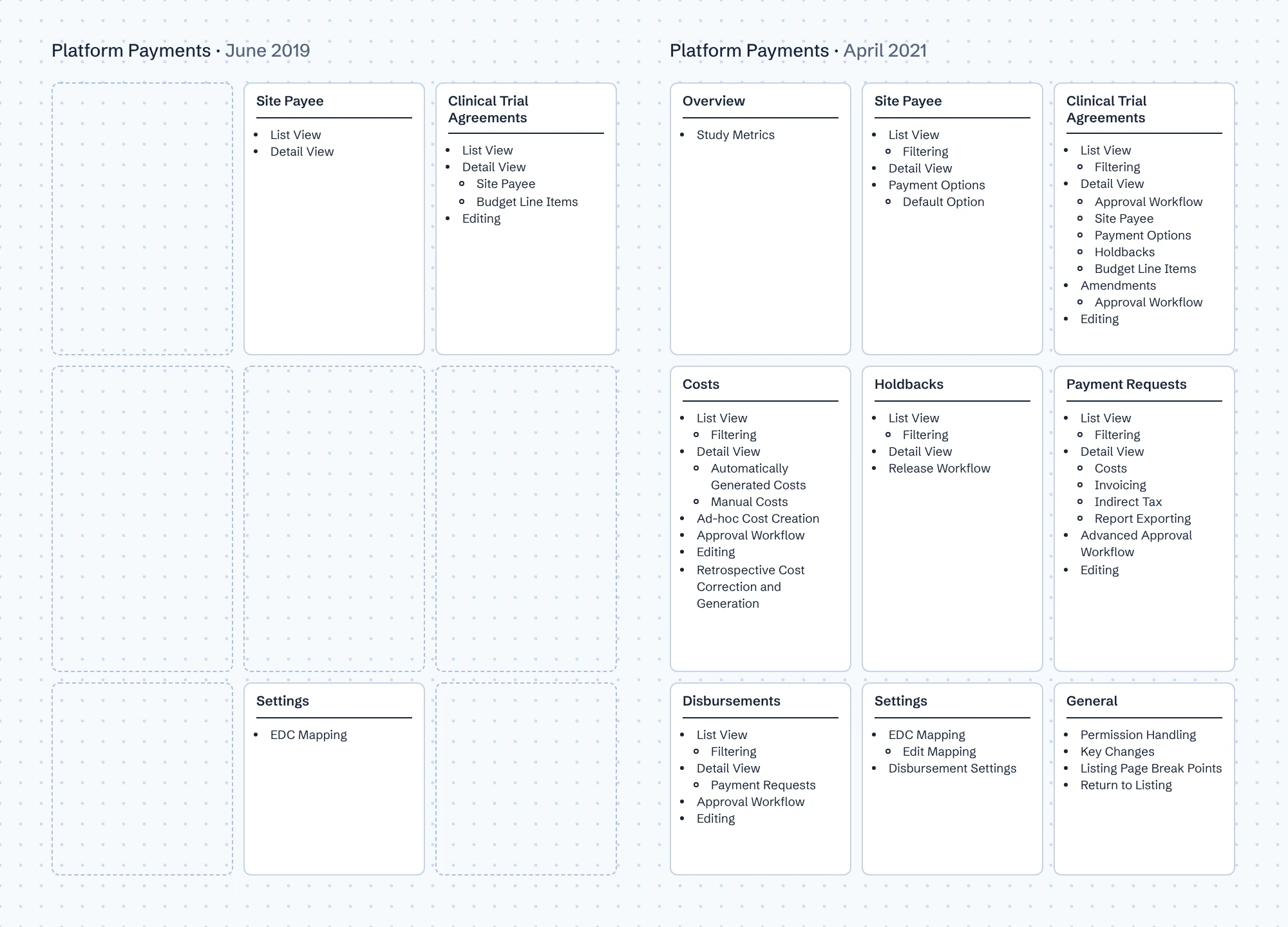
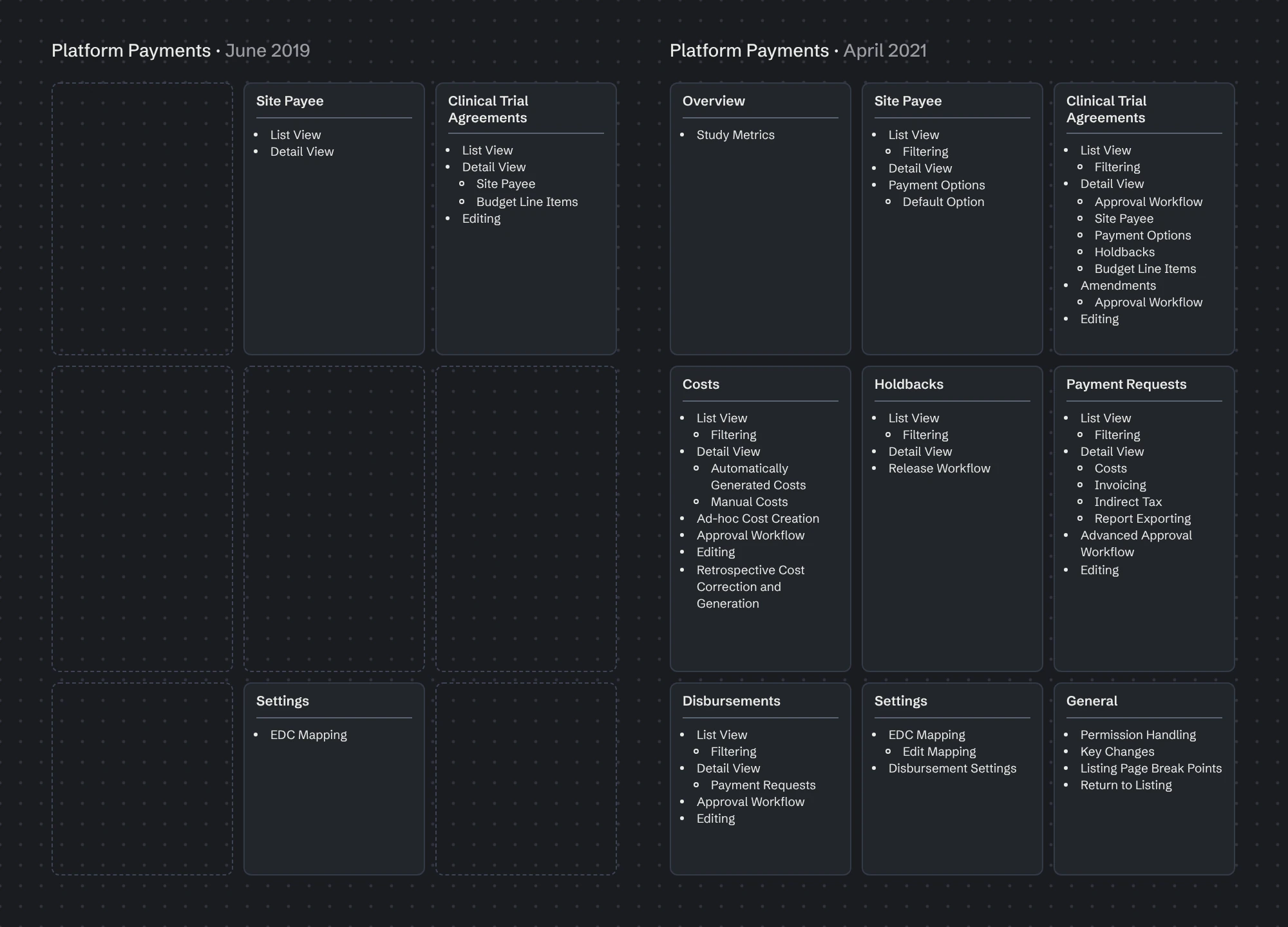
I joined straight out of university as an associate, as the first beta was being prepared. The previous designer had laid the agreement's foundations. Within a couple of months I took over as the product's only designer, substantially redesigning the agreement and designing the rest of the payment flow from scratch: costs, payment requests and disbursements.
Platform Payments stayed confidential throughout my time on it, so we couldn't speak to the sponsors or sites who would use it. I found the closest legitimate proxy: a payment processing partner already working with our legacy product, whose team would be creating CTAs on the new one. I ran six moderated usability tests with them.
Two findings shaped the next iterations:
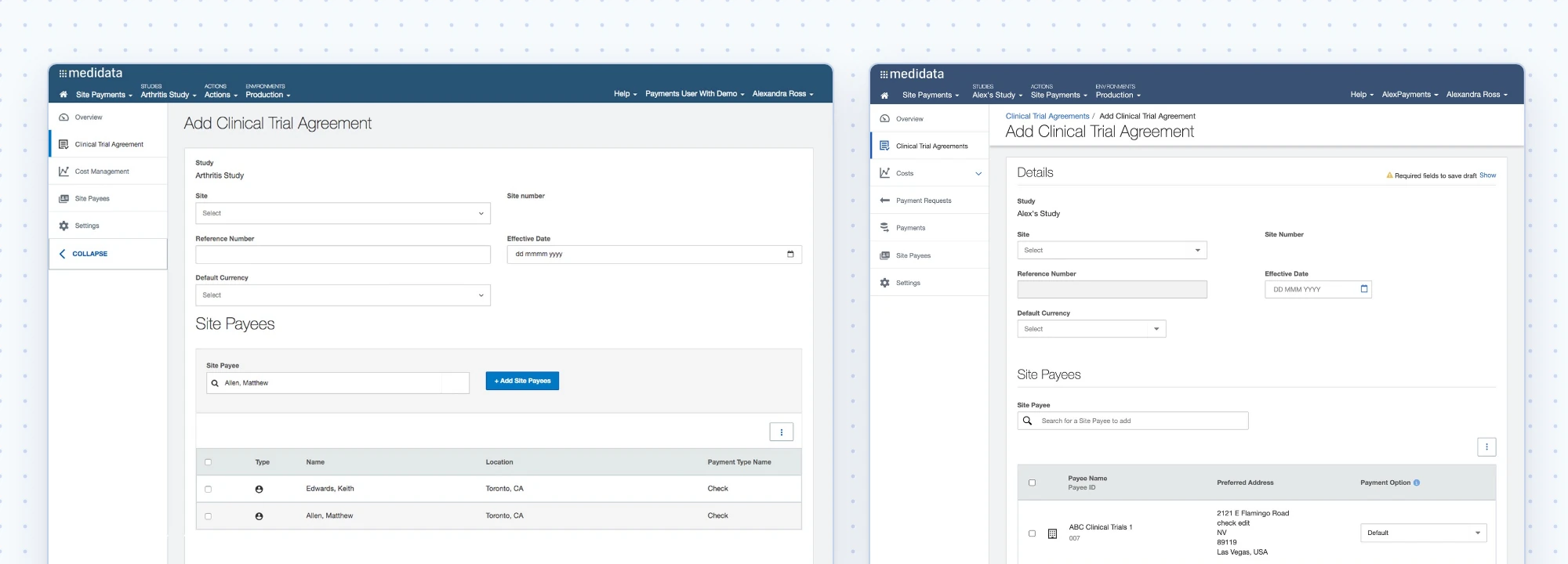
- The payee selector couldn't tell people apart. We showed name and location, but in large trials two doctors with the same name can work in the same city. Participants also didn't know what the number under each name meant.
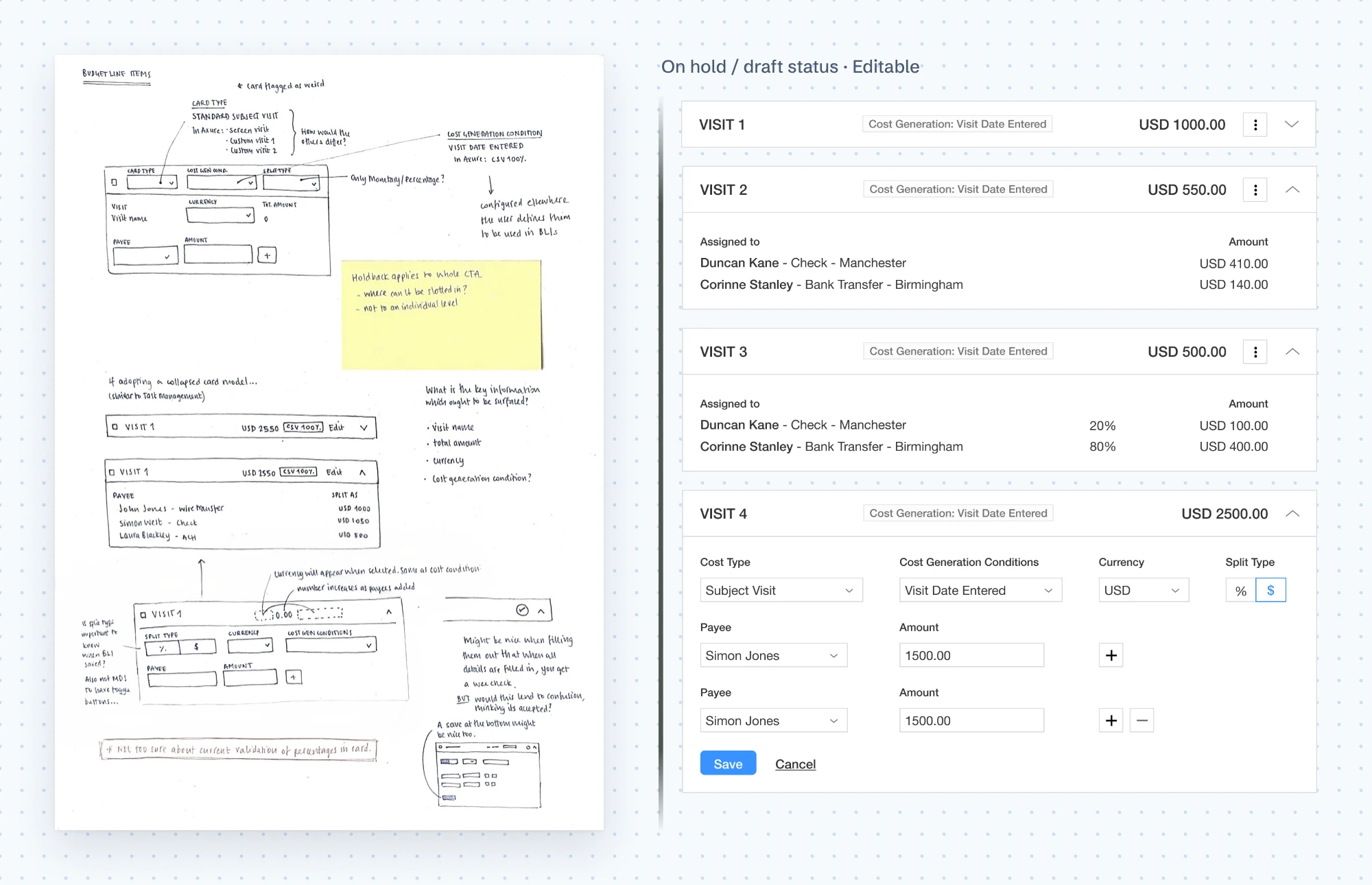
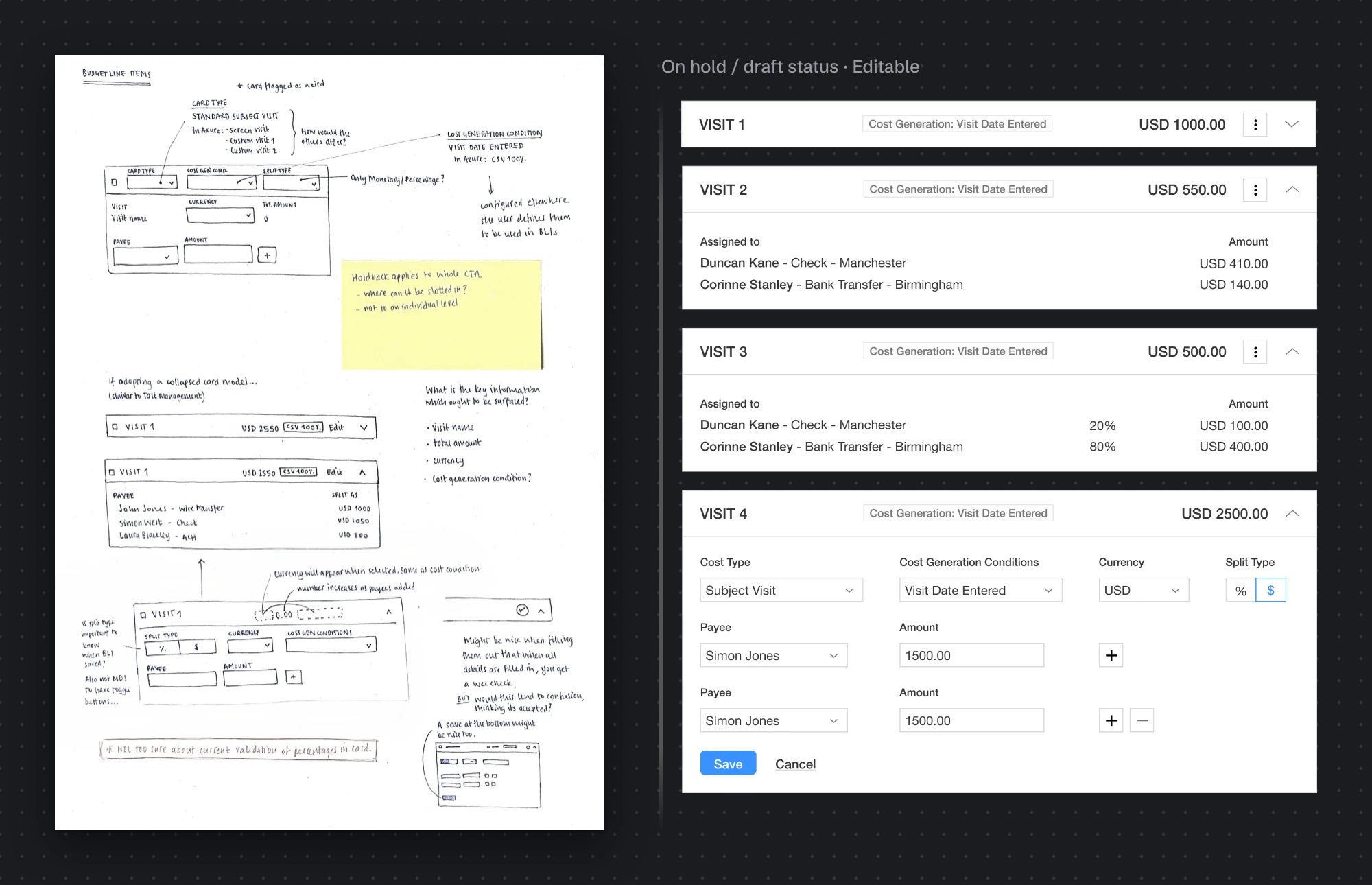
- Budget line items were the hardest part. Participants needed a lot of guidance. The number and size of the cards was disorienting, the visit name wasn't obvious, and labels inherited from earlier versions, like "Card Type", meant nothing to them.
Because the partner knew the legacy product well, I weighed which feedback reflected real needs and which reflected old habits before acting on it.
Reworking budget line items
The testing gave me a clear brief: make each budget line item understandable at a glance, and reduce what people have to deal with in the common case.
- Language first. "Card Type" went. I tested alternatives against one question: would a non-expert read it the way we mean it? Some read as internal jargon, some were too vague, and one needed to cover visits, arms, cycles and periods, so I looked for a single umbrella term. We landed on the obvious one: Cost Type.
- Progressive disclosure. Specifying individual visits is the less common case, so it became an extra, optional step. It costs one click for some users and removes noise for everyone else.
- Standard components over custom ones. The original concept relied on a dropdown with checkboxes, which wasn't in the design system and would have been built from scratch. I moved to a familiar multi-select that keeps the chosen visits visible, accepting that selecting several at once is slower.
- A calmer card. I compared a dense card against a much cleaner one, and flagged the cleaner option's risk: the total amount field might get missed and only noticed after a validation error, which is why I wanted it tested before committing.
The payee selector was fixed too: we replaced the city with a full address, so same-name payees could be told apart, and labelled the ID column so it was clear what the number meant.
The reworked designs shipped. They weren't retested, because the product was put on hold soon after.
Amendments keep a contract correct for the life of a study. They were the hardest design problem in the CTA: every version has its own status, dates and payees, and an approver needs to see exactly what changed. Four decisions shaped the result.
1. Where can you start an amendment?
I explored two options. Letting people start from any version was more flexible, but the warning that it would be based on the latest version only came after they'd committed. Restricting it to the latest version was stricter, but made the starting point unambiguous.
I chose the latest version only. The trade-off is an extra step to navigate there first, but people are expected to review the versions before amending anyway. The new amendment's header takes the next version number automatically, with a line confirming which version it's based on.
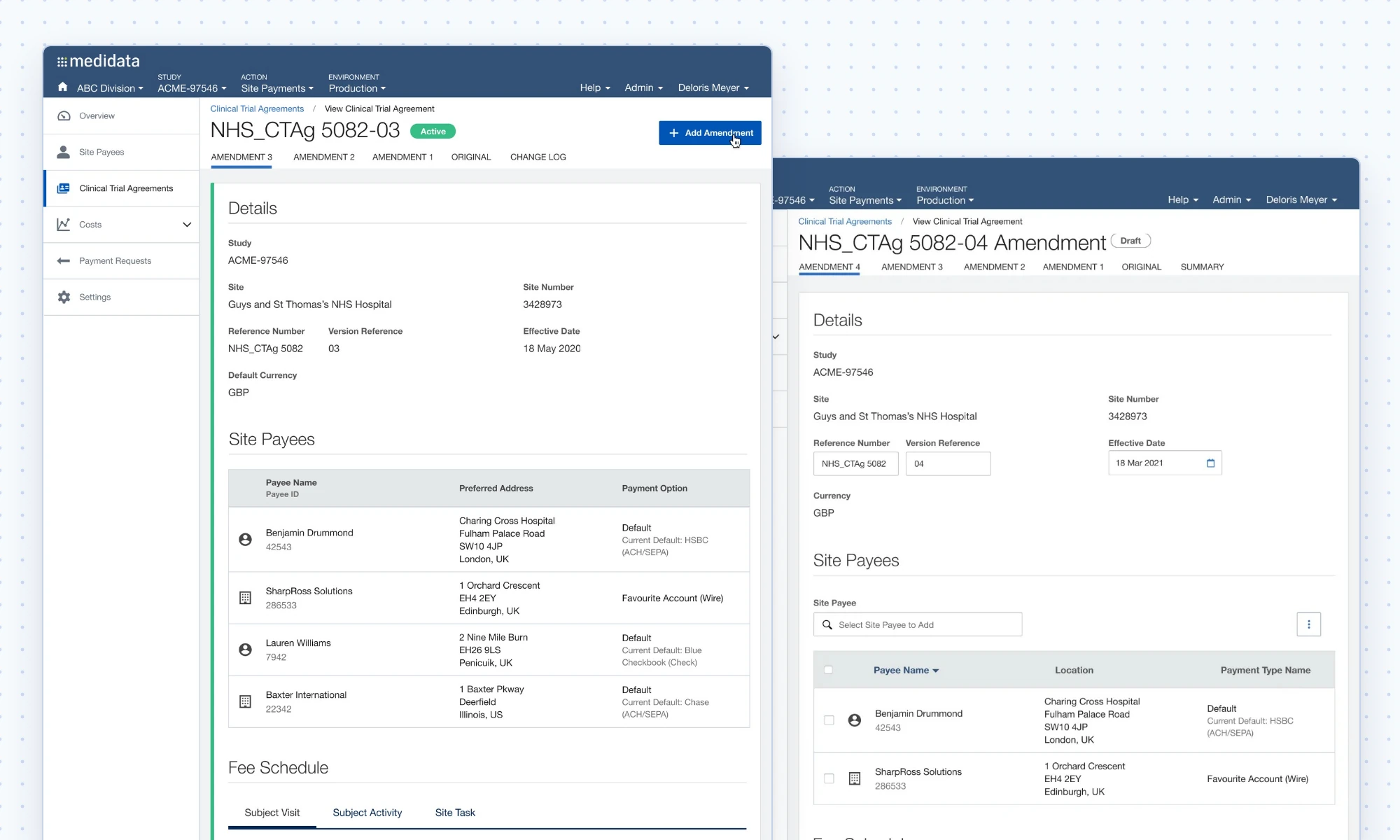
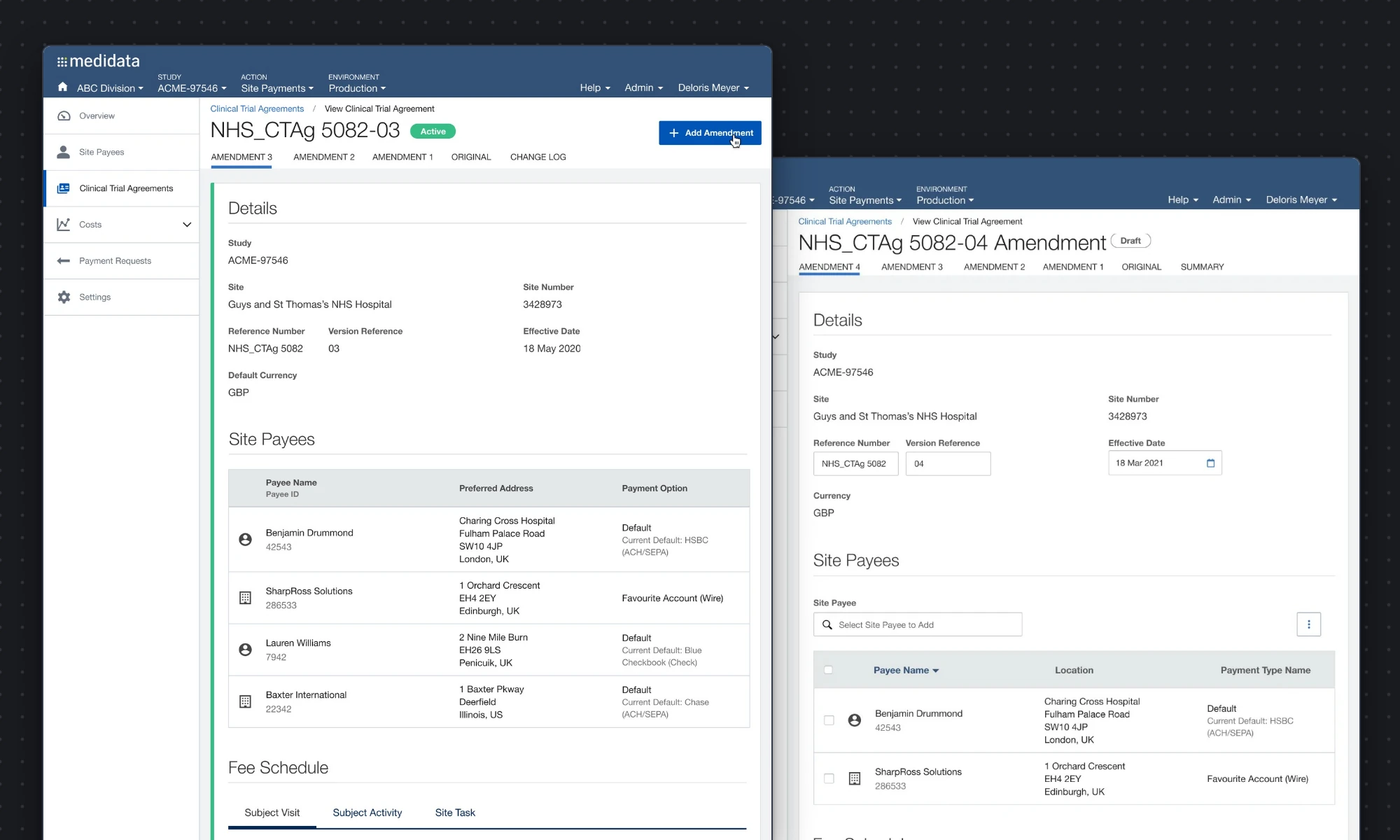
2. How do versions appear in the CTA list?
Grouping every amendment under the original reference kept the list tidy, but it raised a problem: whose status, dates and payees does the grouped row show? One row per amendment was unambiguous but noisy, with up to 12 rows per contract. I explored status markers, a "previous versions" treatment and expandable rows. What shipped kept one row per contract, showing the latest version with a count of its versions beneath it. Clicking the count lists each version's reference and effective date, linking through to the full contract. It keeps the list as tidy as grouping, without the ambiguity.
3. What happens with 12 tabs?
Each version got a tab, and the design system put any overflow at the very end. That would have buried the change log behind up to 12 amendments. I placed the overflow second to last so the change log stayed visible, a small, deliberate bend of the system.
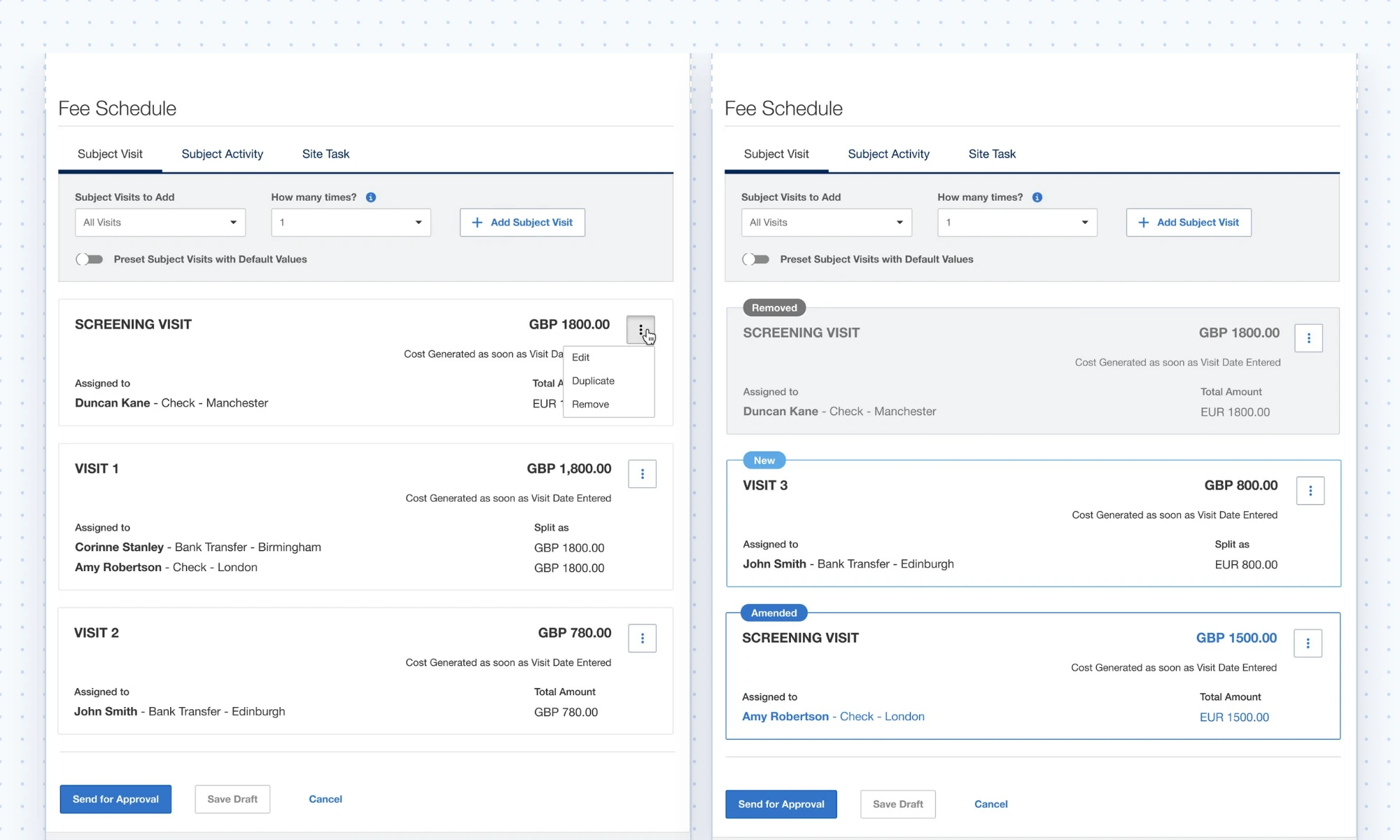
4. How do you show what changed?
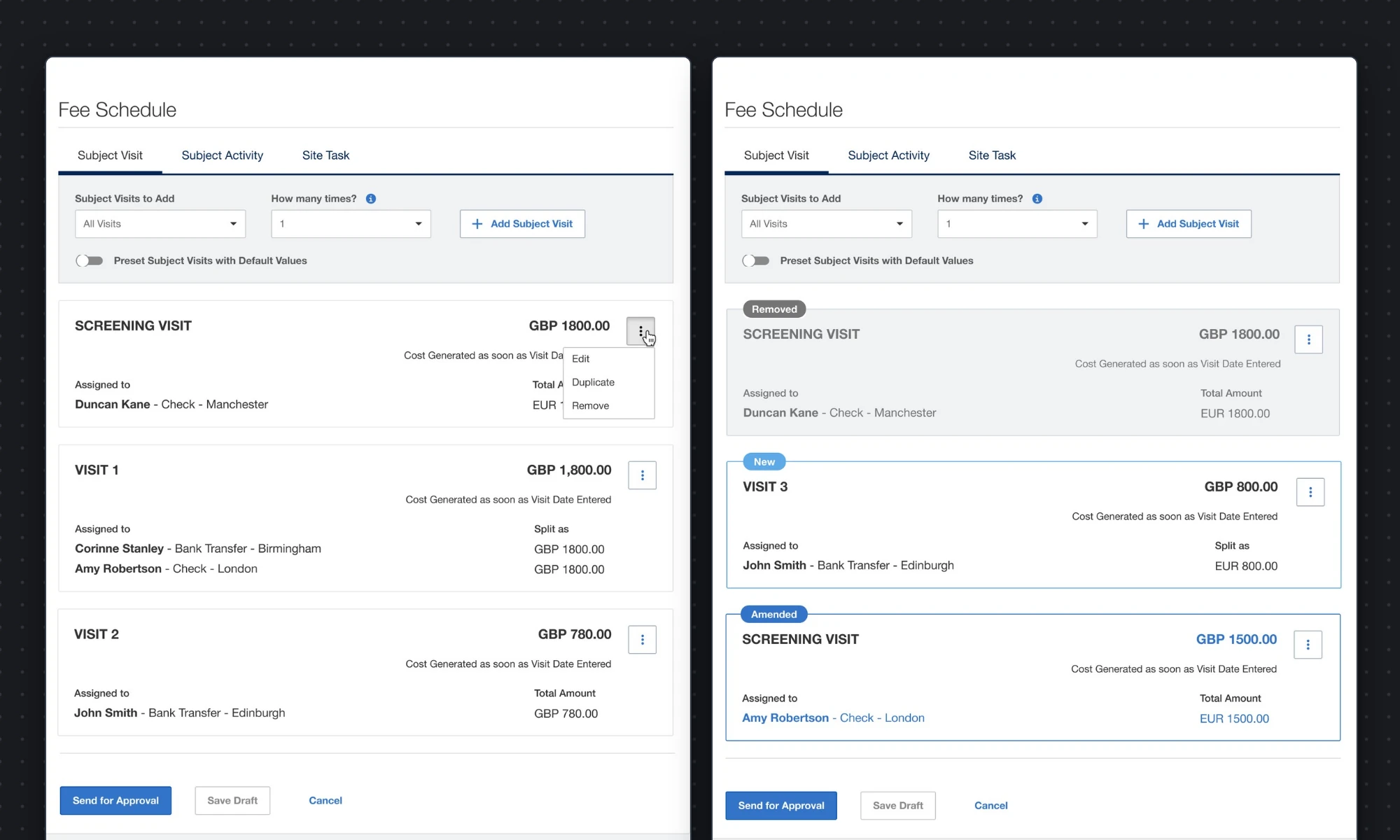
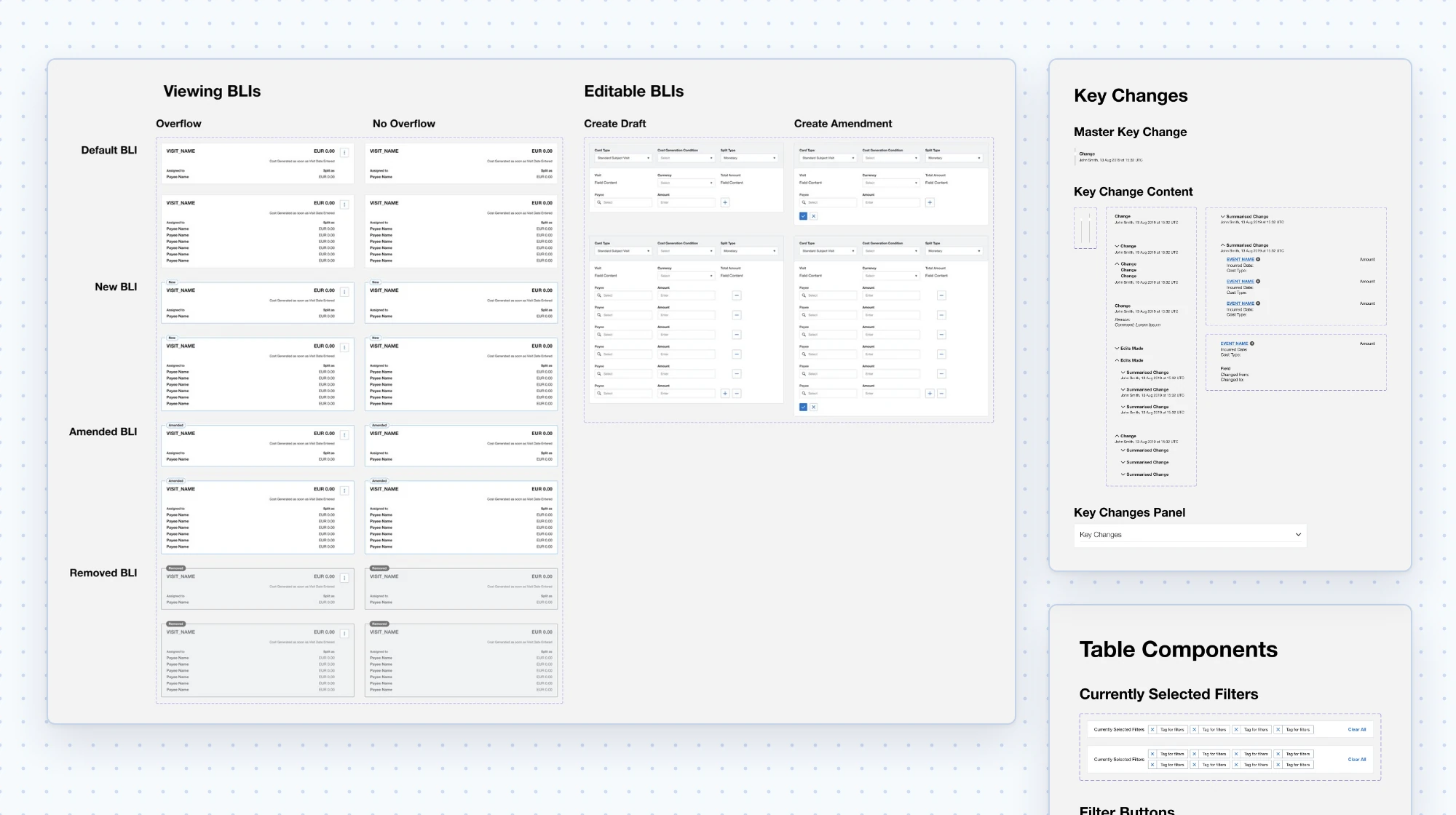
This is what the approver needs most. I explored field-level highlights, highlighted containers, badges and dots, and settled on three explicit states for each budget line item:
- New: labelled, with supporting highlight.
- Amended: labelled, with the changed fields and the card highlighted, so a change is easy to spot while scrolling.
- Removed: labelled and greyed out.
I also defined the rules underneath, which is where most of the edge cases lived:
- A field edited and then changed back is not highlighted.
- Indirect changes, such as a total recalculated from other edits, are highlighted.
- Changes are surfaced only while the amendment is in draft or under review, not once it's approved.
As the only designer across four scrum teams, I also had to make quality hold up without me in every conversation:
- A UI review step. I audited the built UI against the designs, then added a UX/UI review step to every front-end ticket so fixes were tracked, not left to chance.
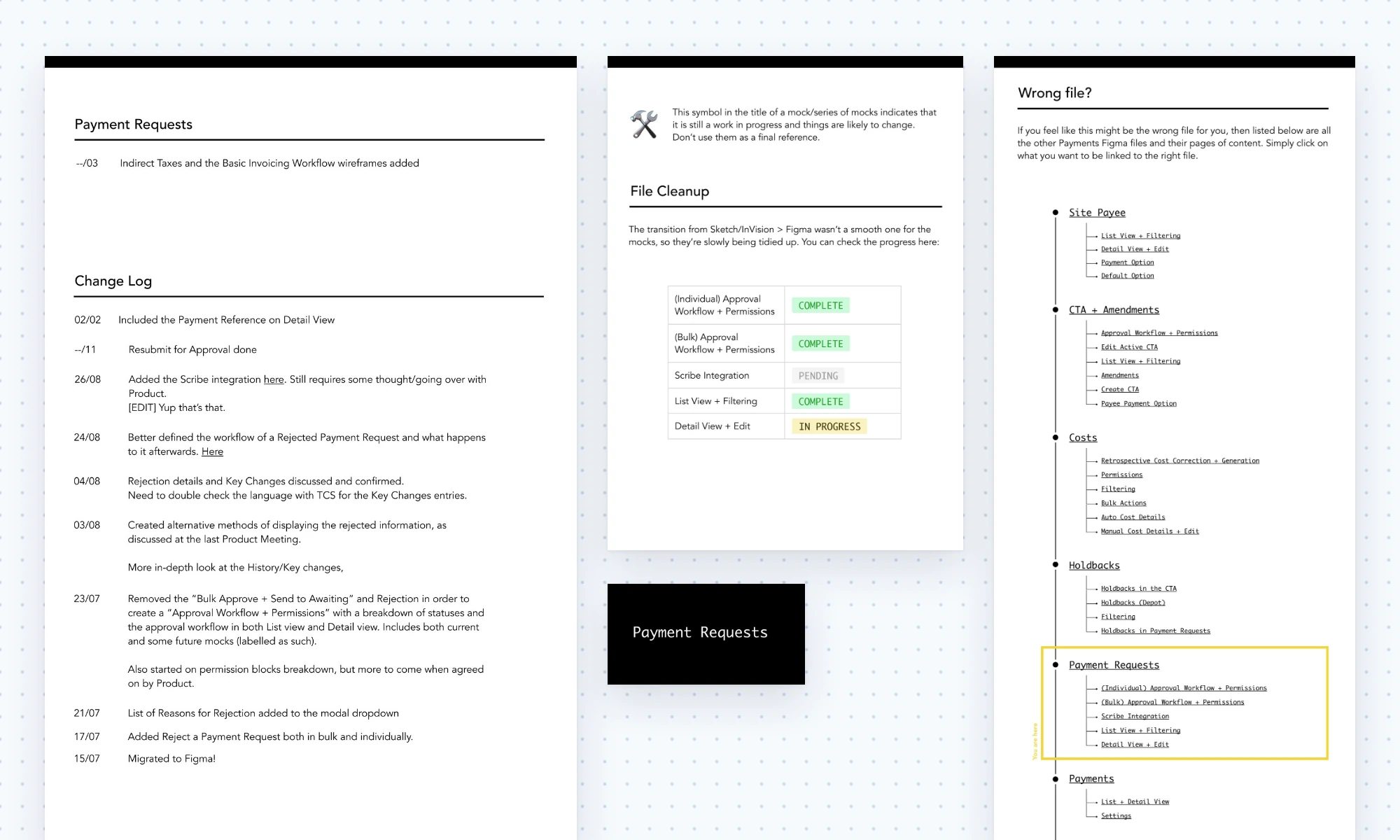
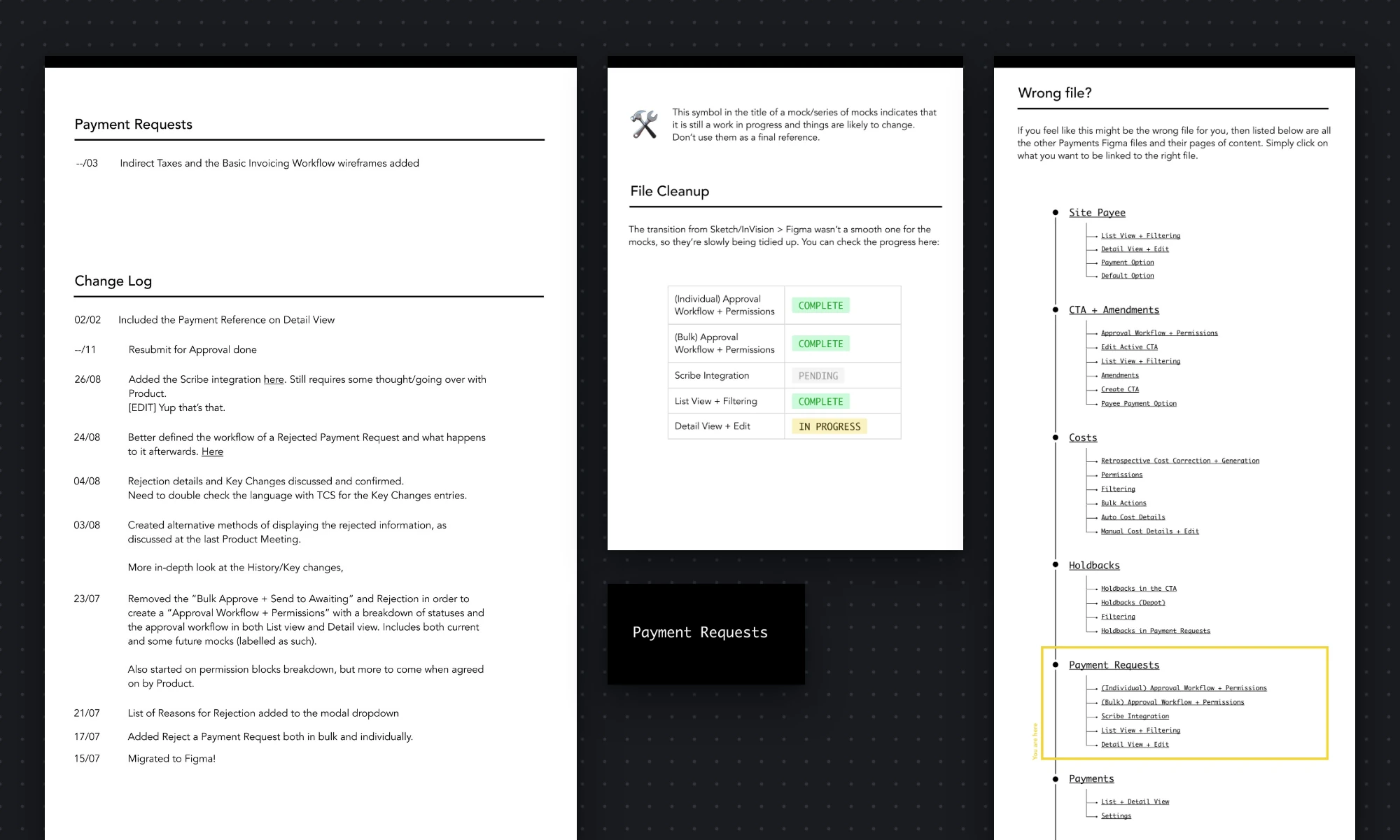
- A Payments component library on top of the company design system, including table rows that pull realistic mock data from a spreadsheet. In a table-heavy product, that made edge cases cheap to design for.
- The CTA, including amendments and the reworked budget line items, shipped in the product's first production release.
- Research findings from the partner sessions were implemented in the payee selector and budget line items.
- The UI review step became a standard part of front-end work on the product.
Epilogue: development was later paused for a long period, and the product went live with its first paying customer in 2025.
- Close the loop. The reworked budget line items shipped without a second round of testing. Today I'd push to validate the riskiest change with a quick test before it shipped, rather than waiting for a planned round that never came.
- Define success upfront. We knew what we were building, but we never agreed how we'd measure it, for example time to create a CTA or errors caught at approval. With those measures, this case study could end with what changed for users, not just what shipped.